Hiding or Showing Date in Syslog Messages
By default, Syslog Viewer displays the date when it received the syslog message from the device. However, you can hide the date from syslog messages.
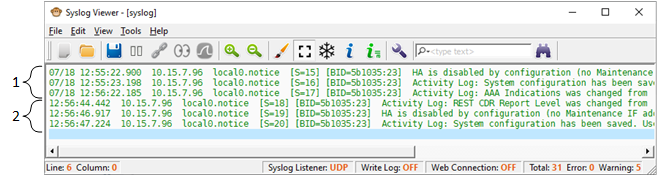
For example, the following figure shows syslog messages with the date (#1) and syslog messages without the date (#2):
|
➢
|
To hide or show date in syslog messages: |
|
1.
|
On the toolbar, click the Options  icon; the Options dialog box appears. icon; the Options dialog box appears. |
|
2.
|
Under the Syslog group, select or clear the 'Show date' check box to show or hide the date, respectively. |